
Written by Chessboard · Updated 2026-10-23
Open the project’s Documents area
In a Paid workspace, create a Markdown document or import a Markdown, text or supported ZIP file. Give it a title that explains its purpose, such as Invitation flow.
Begin with the goal, the constraints and the steps someone needs to follow. Authorized Free users can read existing documents but cannot author or import them.
Use the writing tools
Choose Writing tools for grouped templates and Build content for exact-entry builders. Add a table, checklist, callout or diagram without an AI request.
Visual and Source views share Undo. On desktop, Split keeps source beside the rendered view. On a smaller screen, choose the single view that fits.
Add a diagram that answers a question
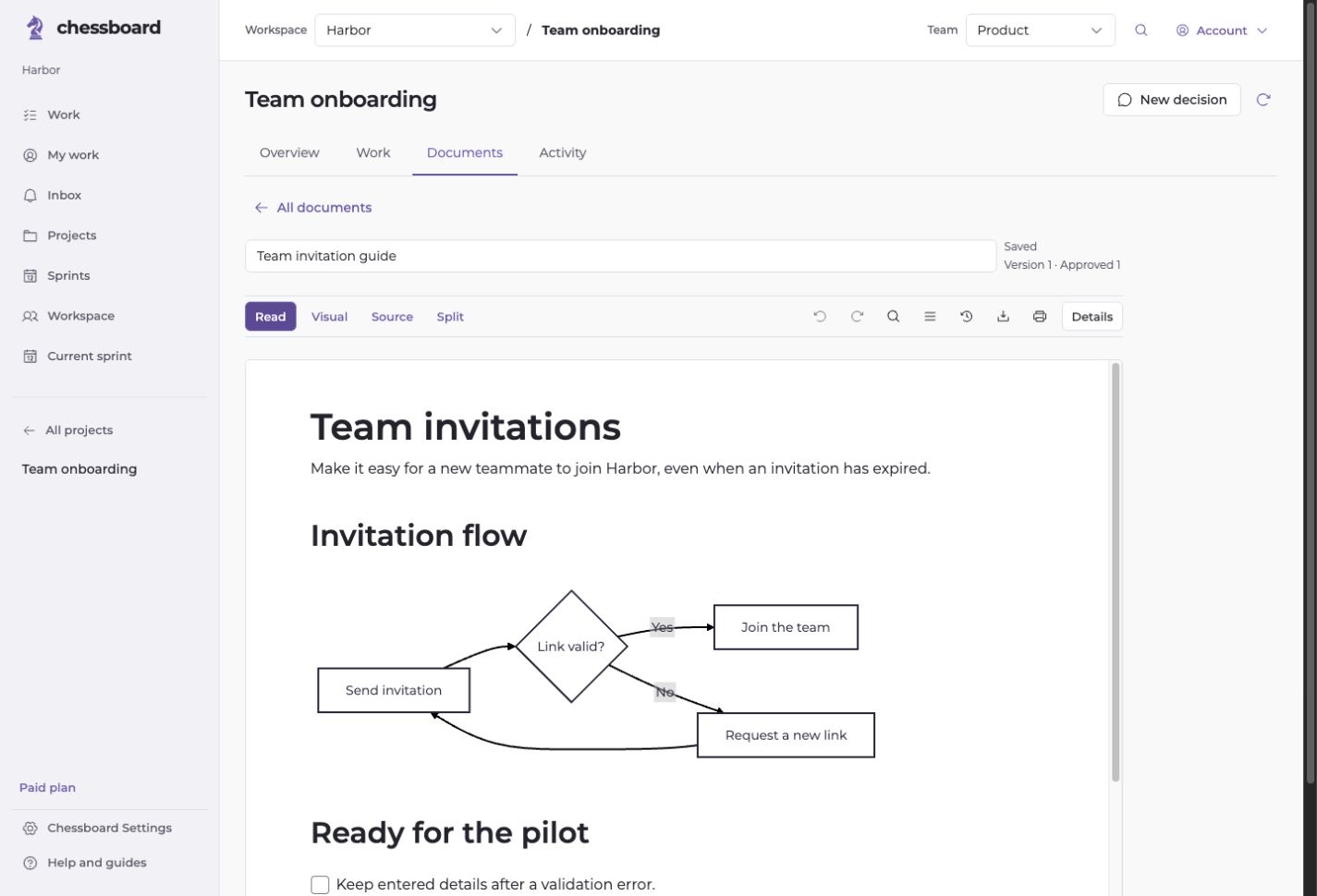
For an invitation flow, show the invitation, the expiry check and the recovery path. Use a Mermaid template or a local flowchart builder to start.
Select the rendered diagram to edit its source or remove it. Keep the adjacent text clear enough that the decision remains understandable without the image.
Review and reference the result
Save the document, review the relevant section and link its version to a task. When the document changes later, inspect references that need another review.
Export Markdown when you need a portable copy. Keep uploaded images with their document export where applicable.