
Use your existing AI tools
Chessboard’s authenticated MCP endpoint connects compatible tools, including supported Claude and Codex setups. Start from the app’s connection flow and grant only the access needed for the project.
The agent’s model account or subscription stays separate. An external MCP connection cannot spend Chessboard’s hosted AI credits.
Share selected context
Document access requires current workspace and team access, the relevant project grant and explicit document sharing. A connection with task access does not automatically receive document access.
The document tools expose bounded reads, versions and task references. You can revoke access when the connection or project no longer needs it.
Keep review in the workflow
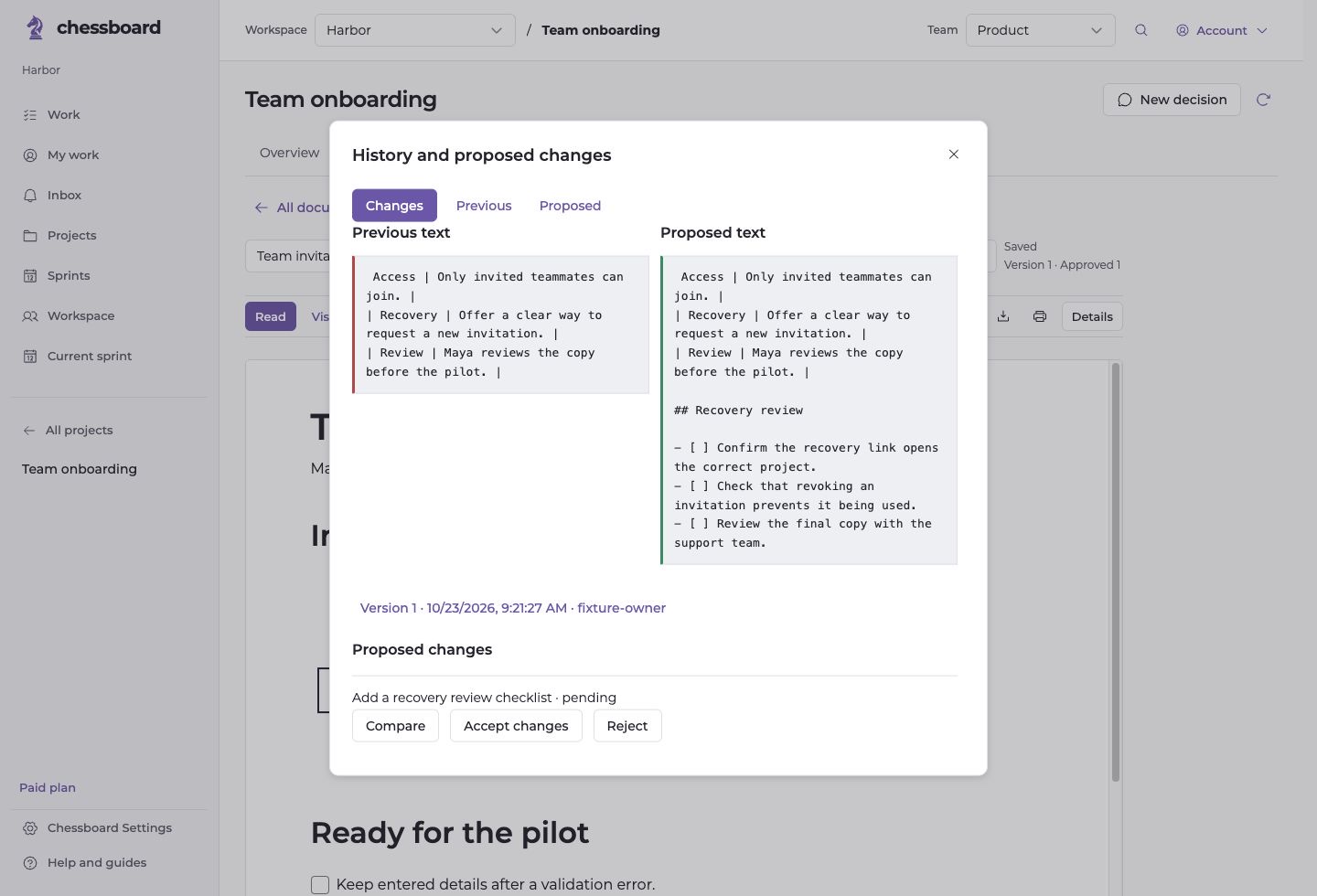
With write permission, an agent can create a document or propose a change to an existing shared document. A person compares the proposal and chooses whether to accept it.
Document sharing never permits an agent to approve its own proposal, accept its own work or run an arbitrary command from document content.
Try one bounded task
Start with a short, shared document and a request such as preparing an implementation checklist from its reviewed requirements. Ask for a proposed change, then compare it in Chessboard.
Your existing task and project permissions still apply. Follow the connection guide.